bevel -- Functions for cutting meshes at edges or points, like chamfer
This module provides the chamfer and filet functions, and the associated tools.
edgecut, chamfer, and filet are built using the same cutting algorithm. It cuts the mesh faces by propagation from the given edges. The cutting planes are determined by an offset vector from the original primitive (point or edge).
Most of the time you don't need to set the offset yourself. It can be automatically calculated by several methods, depending on the shape you want to get. Those methods are called cutters and are executed using planeoffsets.

End-user functions
chamfer(mesh, indices, **cutter)

Cut the given edges or points on the mesh and replace them by a chamfer: a flat surface filling the hole
Example
    >>> cube = brick(width=5)
    >>> chamfer(cube, cube.frontiers(), width=1)
Source code in madcad/bevel.py
40 41 42 43 44 45 46 47 48 49 | |

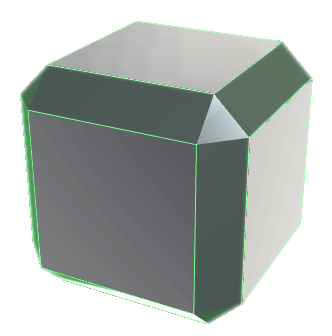
filet(mesh, indices, **cutter)

Cut the given edges or points on the mesh and replace them by a filet: a round surface tangenting and filling the hole
Example
    >>> cube = brick(width=5)
    >>> filet(cube, cube.frontiers(), width=1)
Source code in madcad/bevel.py
51 52 53 54 55 56 57 58 59 60 | |

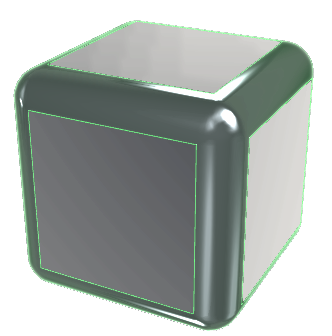
edgecut(mesh, indices, **cutter)

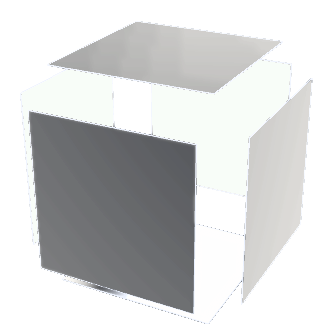
Cut a Mesh/Web/Wire around the given edges/points, using the given cutter
Source code in madcad/bevel.py
35 36 37 38 | |

Cutters (cut methods)
cutter_width(width, fn1, fn2)

Plane offset for a cut based on the width of the filet
Source code in madcad/bevel.py
67 68 69 70 71 | |
cutter_distance(depth, fn1, fn2)

Plane offset for a cut based on the distance to the cutted edge
Source code in madcad/bevel.py
73 74 75 76 77 78 | |
cutter_depth(dist, fn1, fn2)

Plane offset for a cut based on the distance along the side faces
Source code in madcad/bevel.py
80 81 82 | |
cutter_radius(depth, fn1, fn2)

Plane offset for a cut based on the angle between faces
Source code in madcad/bevel.py
84 85 86 87 88 | |