boolean -- Boolean cut/intersect/stitch meshes
This modules provide boolean operations for all kind of meshes.
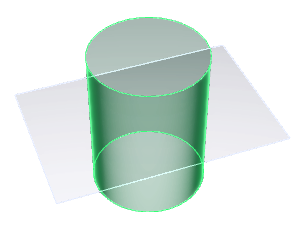
Strictly speaking, boolean operations are operations on mathematically defined sets. In a n-dimensinal space it applies to subsets of point of the same dimension (volumes in 3D, surfaces in 2D). Here, volumes are defined by their exterior envelope (a Mesh) and surfaces by their contour (Web). So the boolean operation consist of intersecting the envelopes and contours and decide which cutted parts to keep.

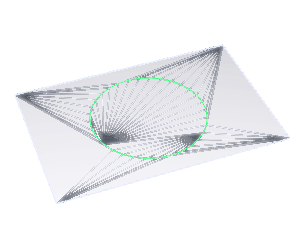
This relies on a new intersection algorithm named syandana. It finds candidates for intersections using a spacial hashing of triangles over a voxel (see madcad.hashing). This is solving the problem of putting triangles in an octree. Also to avoid the increasing complexity of the operation with flat planes divided in multiple parallel triangles, the algorithm is implemented with a detection of ngons.
The syandana algorithm achieves intersections of meshes in nearly O(n) where usual methods are O(n**2)
After intersection, the selection of surface sides to keep or not is done through a propagation.
Note
Web boolean operations theoretically means something only in a 2d space, and it takes place in a 3d space here, causing many situations where a web portion can be both inside and outside the contour. The algorithm here works even with meshes that are not planar at all. but it always assumes that the web you give it can be processed consistently as if it was.
Note
Mesh boolean operation is relying on the surface outer normal to decide what is exterior and interior. It's always a local decision (ie. a decision made at the intersection), So the meshes must be well oriented.
Web boolean operations on the other hand CANNOT be local due to the 3d space it's laying in. (a higher dimension than the surface it's theoreticall meant to outline). So it may sometimes not behave the way you expect it. To solve ambiguities of interior and exterior, the most outer part of first mesh argument is always considered to belong to the exterior. And the information is propagated through the web.
Most common
pierce(m, ref, side=False, prec=None)

Cut a web/mesh and remove its parts considered inside the ref shape
Overloads:
    pierce(Mesh, Mesh) -> Mesh
    pierce(Web, Web) -> Web
    pierce(Web, Mesh) -> Web
side decides which part of each mesh to keep
- False keeps the exterior part (part exclusive to the other mesh)
- True keeps the interior part (the common part)
Source code in madcad/boolean.py
394 395 396 397 398 399 400 401 402 403 404 405 406 407 408 409 410 411 | |
Between Web (The result is the white part, the green part is the ref parameter)
rect = web(
    wire([vec3(-w, -h, 0), vec3(w, -h, 0), vec3(w, h, 0), vec3(-w, h, 0)])
    .close()
    .segmented()
)
hole = web(Circle((O, Z), 1.5))

result = pierce(rect, hole)
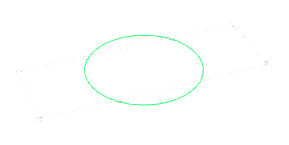
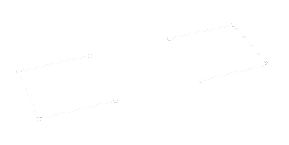
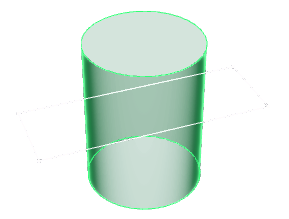
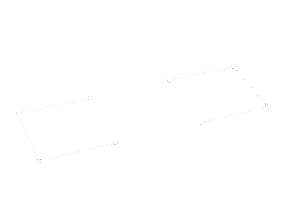
Between Web and Mesh:
rect = web(
    wire([vec3(-w, -h, 0), vec3(w, -h, 0), vec3(w, h, 0), vec3(-w, h, 0)])
    .close()
    .segmented()
)
hole = extrusion(Circle((O, Z), 1.5), 4 * Z, alignment=0.5)

result = pierce(rect, hole)
Between Mesh:
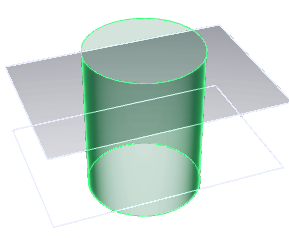
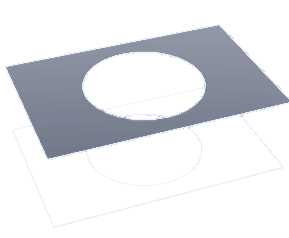
rect = flatsurface(
    wire([vec3(-w, -h, 0), vec3(w, -h, 0), vec3(w, h, 0), vec3(-w, h, 0)])
)
rect = rect.transform(Z) + rect.transform(-Z).flip()
hole = extrusion(flatsurface(Circle((O, Z), 1.5)).flip(), 4 * Z, alignment=0.5)

result = pierce(rect, hole)
boolean(a, b, sides=(False, True), prec=None)

Cut two web/mesh and keep its interior or exterior parts
Overloads:
    boolean(Mesh, Mesh) -> Mesh
    boolean(Web, Web) -> Web
sides decides which part of each mesh to keep
- False keeps the exterior part (part exclusive to the other mesh)
- True keeps the common part
Source code in madcad/boolean.py
418 419 420 421 422 423 424 425 426 427 428 429 430 431 432 433 434 | |
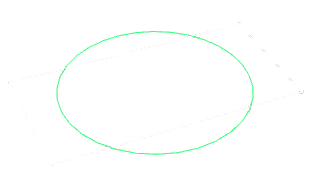
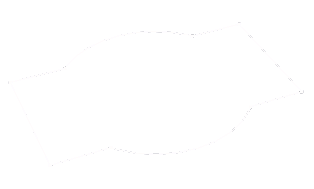
Between Web:
w, h = 2, 1
a = web(
    wire([vec3(-w, -h, 0), vec3(w, -h, 0), vec3(w, h, 0), vec3(-w, h, 0)])
    .close()
    .segmented()
)
b = web(Circle((O, Z), 1.5))

result = boolean(a, b, (False, False))
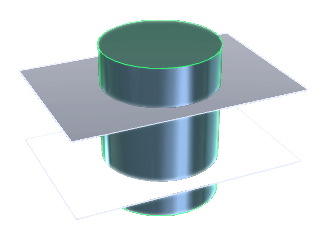
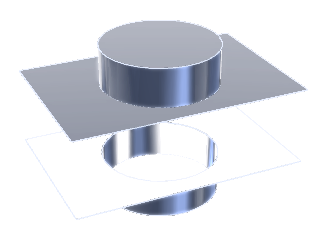
Between Mesh:
w, h = 3, 2
rect = flatsurface(
    wire([vec3(-w, -h, 0), vec3(w, -h, 0), vec3(w, h, 0), vec3(-w, h, 0)])
)
a = rect.transform(Z) + rect.transform(-Z).flip()
b = extrusion(flatsurface(Circle((O, Z), 1.5)).flip(), 4 * Z, alignment=0.5)

result = boolean(a, b, (False, False))
Those are shortcuts for boolean:
union(a, b)

Return a mesh for the union of the volumes.
It is a boolean with selector (False,False)
Source code in madcad/boolean.py
436 437 438 439 440 | |
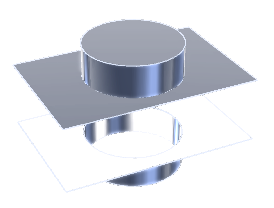
difference(a, b)

Return a mesh for the volume of a less the common volume with b
It is a boolean with selector (False, True)
Source code in madcad/boolean.py
448 449 450 451 452 | |
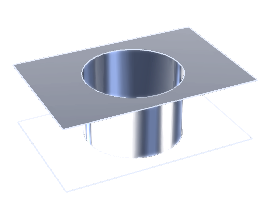
intersection(a, b)

Return a mesh for the common volume.
It is a boolean with selector (True, True)
Source code in madcad/boolean.py
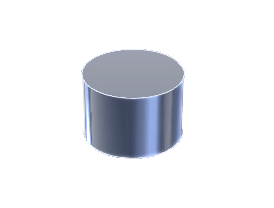
442 443 444 445 446 | |
More advanced
cut_web(w1, ref, prec=None)

Cut the web edges at their intersectsions with the ref web
Return
(cutted, frontier)
    :cutted(Web):   is `w1` with the edges cutted, but representing the same lines as before
    :frontier(Wire): is a Web where edges are the intersection edges, and whose groups are the causing faces in `ref`
Source code in madcad/boolean.py
86 87 88 89 90 91 92 93 94 95 96 97 98 99 100 101 102 103 104 105 106 107 108 109 110 111 112 113 114 115 116 117 118 119 120 121 122 123 124 125 126 127 128 129 130 131 132 133 134 135 136 137 138 139 140 141 142 143 144 145 146 147 148 149 150 151 152 153 | |
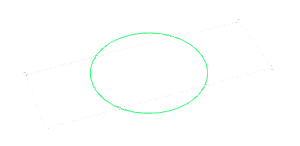
cut_web_mesh(w1, ref, prec=None)

Cut the web inplace at its intersections with the ref web.
Return
(cutted, frontier)
Source code in madcad/boolean.py
257 258 259 260 261 262 263 264 265 266 267 268 269 270 271 272 273 274 275 276 277 278 279 280 281 282 283 284 285 286 287 288 289 290 291 292 293 294 295 296 297 298 299 300 301 302 303 304 305 306 307 308 309 310 311 312 313 314 315 316 317 | |
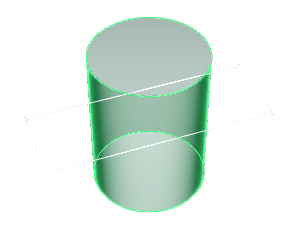
cut_mesh(m1, m2, prec=None)

Cut m1 faces at their intersections with m2.
Return:
    `(cutted, frontier)`

            :cutted(Mesh):  is `m1` with the faces cutted, but representing the same surface as before
            :frontier(Web): is a Web where edges are the intersection edges, and whose groups are the causing faces in `m2`
Returning the intersection edges in m1 and associated m2 faces. The algorithm is using ngon intersections and retriangulation, in order to avoid infinite loops and intermediate triangles.
Source code in madcad/boolean.py
47 48 49 50 51 52 53 54 55 56 57 58 59 60 61 62 63 64 | |